
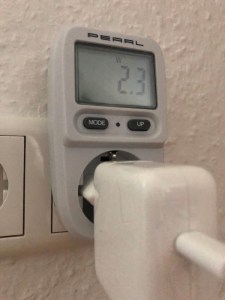
When I first got the MacBook and put it to sleep on battery, as one does, I wondered why the energy store had lost a surprisingly high amount of charge after just a couple of days of sitting on a shelf untouched, lid closed. Now that I have a power meter (almost a year later), I was curious and hooked up the plugged-in computer to it. As you can see from the title image, the result was 2.3 frigging watts. But why?
Given this number, I wanted to open this blog post with the following statements.
Here is an interesting fact for you. The most power-efficient computer of the past decade allows itself over 2W of power while it sleeps. Yes, two frigging watts. Sleeping.
Being a curious nut, I did some more digging and then overhauled this blog post accordingly. But first, let me continue with my original vision of this little rant.
This is time travel, my friends.
To ensure the power meter is not reporting an incorrect number, I disconnected everything from the power strip that the MacBook is attached to.
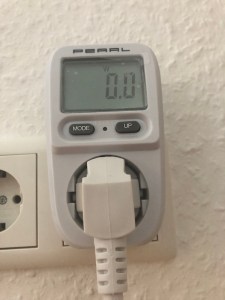
Nothing, as expected. Next, I loaded up Word and then let it sit idle.
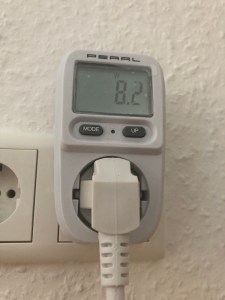
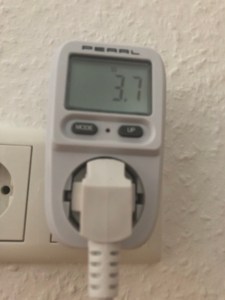
Sounds about right. With the screen turned on, the computer uses 1.5W more than in sleep mode. So, sleep does not really mean sleeping? It is on, without a screen. It cannot be the M1 SoC, though. If that were the case, iPads would not be viable.
Whatever it is, I will turn off the computer from now on. I like the instant wakeup when I put my finger on the Touch ID sensor, but I cannot accept over 2W of power draw when the device does nothing for days. I am very disappointed. For comparison, my 2017 Lenovo Windows laptop for work connected to a docking station sips 1.3W.
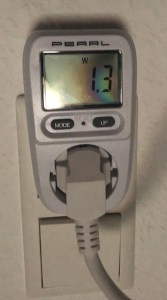
I found somebody with a different experience.
I genuinely don’t think it sucks away any more than a percentage point if left for 12 hours.
Now that the past has caught up with the future and both timelines are in sync again, I prowled the Internet and found well-meaning but also kinda dumb tips like closing specific applications or disabling wireless connectivity. I understand the reasoning to some degree, yet it also defeats the purpose of putting the computer to sleep instead of turning it off. If I have to start and enable everything each time I use the computer, then what’s the point?
My next step was directly connecting the MacBook’s power brick to the power meter to rule out losses in the power strip. No dice. The only other option left was Apple’s tiny USB-C to HDMI/USB-A adapter. And wouldn’t you know? On the left is with the adapter, and on the right is without it. The numbers show the MacBook idle with only Safari, Word, and Music opened, playing The Haunted tunes. The screen’s brightness is set to “3”.

It does not matter if I connect anything to the adapter or not. I had the power brick funneling power through the adapter or the adapter sitting alone in the upper USB-C port and the power brick in the other. Only when I removed the adapter did the power usage drop. What the what? I would understand a higher usage if I were to plug in an external hard drive. But only the adapter with nothing connected to it?
The final test is the power consumption while sleeping. I guess the result is the initial 2.3W minus roughly the difference between 3.9W and 2.3W. So it should be around 0.5W.


Well… The result is certainly something. It is better than before, but by no means is it stable. The power draw fluctuates between 0.3W to 1.2W, the highest I have seen (but somehow not taken a picture of).
I also performed a quick and very scientific test to measure battery draw while the laptop was sleeping, lid closed. I stopped using the computer with around 97% of battery charge remaining, and ca. 15h later, I woke it up with 95% of battery left. Acceptable, I guess. Maybe it was some unoptimized apps running wild. There have been several updates since then to applications and macOS.
I know, not much substance to be found here, just a rant.
Thank you for reading, though.
 The Codeslinger
How are your thoughts after a few months of usage, did it degrade in any way?
Did you try the new M2?
LikeLike
I have not tried the M2. I have no reason to buy a new MacBook as the M1 Air is still an excellent device. Also, I don’t use the computer as much, sadly. Overall, I think the performance and behavior has stayed consistent. I am a bit surprised about the battery usage after I shut down the MacBook. Three weeks of letting it sit shut off on the desk drained an almost full battery to somewhere in the 20%.
LikeLike
Ah that’s quite a bit of a battery drain 😦
Understandable why you wouldn’t upgrade to M2, smart choice for performance reasons. I was just curious if the battery life is any different
LikeLike