Java Crypto Extensions Read DER Encoded Asymmetric Keys

In a work project that heavily focused on asymmetric crypto, certificates, and digital signatures, we had to switch from PEM-formatted keys and certificates to DER-encoded data. Many of the examples I found on the internet always focused on reading PEM data with Bouncy Castle. I wanted to determine how much you can do without an additional library.

Spoiler: Not everything. But, let’s say, the stuff you likely care about.

A Story About OpenSSL & Formats

The starting point of this is a key pair, and you are likely to create one with OpenSSL. Its default output is PEM, so we start from there. You can also instruct OpenSSL to write DER when you generate the key by passing the command line argument -outform DER (or lowercase, it does not matter). This option is also used to convert from PEM to DER.

RSA

Let us start with RSA keys, which are still the most prevalent. Afterward, I will show you how to handle Elliptic Curve keys.

openssl genpkey -algorithm RSA -out genpkey_rsa_private_key.pem -pkeyopt rsa_keygen_bits:2048

You can also use the following command. However, according to a comment on StackExchange, genpkey is the recommended way to go.

openssl genrsa -out genrsa_private_key.pem 2048

Depending on your OpenSSL version, there may be differences though. I could not narrow down the exact version, so you must look at the generated PEM. I am using OpenSSL 3.2.1. If the PEM starts with -----BEGIN PRIVATE KEY-----, you are golden. If it is -----BEGIN RSA PRIVATE KEY-----, a conversion is necessary. That is because key information can be encoded in different ways. Java requires PKCS8, which is represented by the first one. From what I understood, the second one is PKCS1.

(Much data formats. Many confusing.)

Read More »
Connect Spring Cloud Stream With Kafka Binder to Azure Event Hub

In two previous blog posts, I explained how to create a Kafka consumer and producer with the Spring Cloud Stream framework. In the Famous Last Words section of the producer, I already hinted at the notion of utilizing this technology for connecting to Azure Event Hub. While doing so, I discovered an error in one of Microsoft’s examples that has cost me about two days of work. I show you how to avoid the dreaded “Node -1 disconnected” error.

In this tutorial, I explain how to use the exact same code to connect to Azure Event Hub using a Shared Access Signature Token (connection string) and a Service Principal.

I have good news and bad news. Which one first? The bad? Okay, here we go:

There will not be any code in this tutorial, only YAML configuration.

Now to the good part:

There will not be any code in this tutorial, only YAML configuration.

This is the beauty of Spring Cloud Stream. Granted, I am not even swapping the binder for an Azure-native variant. So why would there be any code changes? But let me say this: I briefly plugged in the Event Hub Binder without changing the code in my research on getting this to work. Even the updates to the config were minimal. A few Event Hub-specific settings, especially the Storage Account for checkpoints, and that was it.

Enough foreplay; let me explain what you likely came here for.

Read More »

Produce Messages With Spring Cloud Stream Kafka

Update:

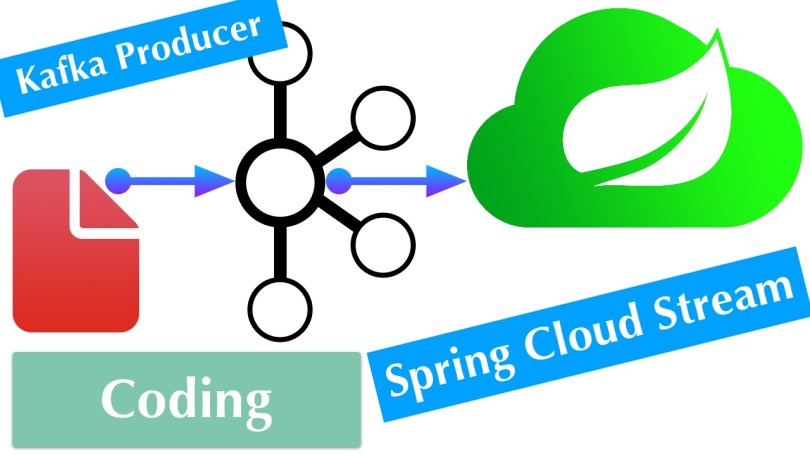
In a recent post, I explained how to create a Kafka Consumer application with Spring Boot using Spring Cloud Stream with the Kafka Binder. In this installment, I explain how to build the other side of the Kafka connection: the producer.

The main concepts are the same. The most significant change is that instead of a Consumer<T>, you implement a Supplier<T>.

Read More »

Consume Messages With Spring Cloud Stream Kafka

Update:

Spring Cloud Stream is a very complex topic and a remarkable piece of technology. It builds on other intricate Spring technologies like Spring Integration and Spring Cloud Function, and when you add Apache Kafka to the mix, you have a steep learning curve on your hands.

There is a lot of documentation to read and comprehend, and I do not think it helps that your first interaction with the technology is by showing off. Here is the sample in the “Introducing Spring Cloud Stream” section.

@SpringBootApplication
public class SampleApplication {
    public static void main(String[] args) {
        SpringApplication.run(SampleApplication.class, args);
    }
    @Bean
    public Function<String, String> uppercase() {
        return value -> value.toUpperCase();
    }
}

That supposedly is a fully functioning application. The uppercase() method consumes and produces simultaneously, essentially turning it into a way software can pleasure itself. To understand this example, you must know about all the Spring Boot auto-configuration magic happening in the background. Otherwise, it is an opaque magical, and indecipherable showpiece.

This post will show a practical example of a simple consumer application receiving messages from a Kafka cluster. This was my use case, and while the documentation contains a ton of helpful information, it only succeeded in confusing me at first, coming to the technology with fresh eyes. As a result, it took me a long time to put together all the pieces before I understood what was going on.

Read More »

AD Workload Identity for AKS Pod-Assigned Managed Identity (Cross-Post)

Managing credentials and other types of access tokens is a hassle. In Microsoft’s Azure Cloud, you can take advantage of Service Principals and RBAC. But even then, a Service Principal requires a password. There is a better solution in Azure called Managed Identity. But how can you employ this feature when your workload runs in AKS? There is a solution, and I’ve explained all you need to know in an article on my employer’s developer blog.

There was this thing called Pod-Managed Identities, but that was pretty elaborate in its setup. Azure Workload Identity is much leaner, making the configuration and usage more straightforward. Managing credentials and connection strings in Kubernetes microservices is a hassle I have disliked from the start. Assigning a Managed Identity to an AKS pod or even a Service Principal and then relying on Azure RBAC can make your life as a developer or IT ops engineer so much more enjoyable.

Visit the blog linked earlier to read the full version. It’ll contain my usual bad jokes and is not censored in any way. I’d post the same article 1:1 on this blog if I had not researched the topic on company time.

I hope it can help you, and thank you for reading.

Spring Boot Custom Field Error Messages in Class-Based Custom Bean ConstraintValidator

This short guide will focus on a single specific aspect of custom bean validation. If you need to catch up on how to write a custom bean validator, check out the tutorial on reflectoring.io. What is usually missing from these how-tos is the handling of validators for an entire class instead of just a field and how to set custom errors for specific field errors in a class.

Why would you want to write a validator for an entire class?

You may run into a situation where the value of one field of a class depends on the value of another field. For example, the field “type” value impacts which values are valid for the field “content”.

But when you define a custom validator, the validation annotation @interface only represents a single error message. The result is that any field error would result in the same error message. In a web service, this is not very helpful for users of your API.

Read More »

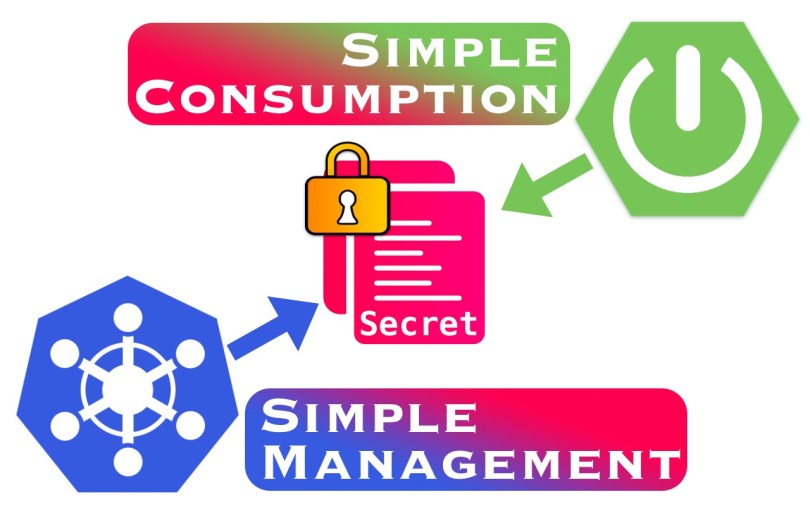
Simplify Spring Boot Access to Kubernetes Secrets Using Environment Variables

This blog post is a follow-up to a previous blog post titled “Simplify Spring Boot Access to Secrets Using Spring Cloud Kubernetes“. Despite the downsides I mentioned, I already hinted at a more straightforward solution that utilizes environment variables. The plan is to get everything into the Pod with as little configuration effort as possible.

So, I promised a twist, and here it is, thanks to one of my colleagues who pushed me in this direction. Kubernetes gives you yet another tool to handle Secrets in environment variables. This time, it is more convenient since you only point it to the complete Secret, not just a single value. Kubernetes will then make all key-value pairs available as individual environment variables.

Read More »

Simplify Spring Boot Access to Secrets Using Spring Cloud Kubernetes

This topic has its origin in how we manage Kubernetes Secrets at my workplace. We use Helm for deployments, and we must support several environments with their connection strings, passwords, and other settings. As a result, some things are a bit more complicated, and one of them is the access to Kubernetes Secrets from a Spring Boot application running in a Pod.

This blog post covers the following:

  1. How do you generally get Secrets into a Pod?
  2. How do we currently do it using Helm?
  3. How can it be improved with less configuration?
  4. Any gotchas? Of course, it is software.

I will explain a lot of rationales, so expect a substantial amount of prose between the (code) snippets.

Read More »

Apache Commons CLI Handling of –help

An odd thing about Commons CLI is that it has no built-in concept of a “–help” option. Other libraries, like JCommander do (which had other problems, or I would not have bothered with Commons CLI). As a result, you have to build it on your own. It is not enough to include it with all the other application options, especially if you use required arguments. Then it is impossible to only set the Help option.

You must implement a two-step process. See this demo application on GitHub that I created for another blog post. It shows this in action.

First, only parse for the Help option, and if it is present, print the help text and exit the application. To print the complete help text, you must add the other parameters first, though. Otherwise there would be only “–help”.

final var applicationOptions = example_2_Options();

final var options = example_2_Help();
final var cli = parser.parse(options, args, true);

if (cli.hasOption(help)) {
    // Append the actual options for printing to the command-line.
    applicationOptions.getOptions().forEach(options::addOption);
    new HelpFormatter().printHelp("external-config-commons-cli", options);
    return;
}

Second, if no help is requested, parse for the application options.

final var cli = parser.parse(applicationOptions, args, true);

applicationOptions.getOptions().forEach(opt -> {
    if (cli.hasOption(opt)) {
        System.out.printf("Found option %s with value %s%n",
                opt.getOpt(), cli.getOptionValue(opt));
    }
});

Thank you very much for reading. I hope this was helpful.

Spring Boot Externalized Config on Command Line With Apache Commons CLI – Missing Required Option

I know this title is a bit of a mouthful, but you need to get all the keywords in for Google to do its magic 😉. In the previous blog post, I mentioned that I would take another look at this topic through the lens of a programmer that uses Apache Commons CLI for command-line argument handling. In a project for work, I noticed some odd error messages claiming that a command-line option did not have a value assigned to it, although it obviously did.

A more extensive set of examples can be found in the README file on GitHub, together with the code.

The sole reason for this blog post is how unknown parameters from the view of Commons CLI can mess up the parsing. The demo application defines two required Options – one for input (“-i” or “–input”) and one for output (“-o” or “–output”). Consider this command where I also set a Spring configuration setting.

% java -jar target/external-config-commons-cli-1.0.0.jar --spring.config.additional-location=src/config/application-mac.yml -i in -o out
-> AppRunner.run() Command Line Arguments
Argument: --spring.config.additional-location=src/config/application-mac.yml
Argument: -i
Argument: in
Argument: -o
Argument: out
-> ExternalConfigProperties
Input path: /Users/mac/thecode
Output path: /Users/mac/slinger
-> Parsing Help With Apache Commons CLI
-> Parsing Arguments With Apache Commons CLI
Missing required options: i, o

Both options are clearly there. The raw output of the String… args array shows that. By default, Commons CLI complains about unknown options. I disabled that behavior by setting stopAtNonOption to true. The parameter’s name makes no sense to me because it does not stop, but I might misinterpret something.

Either way, I assume that Commons CLI expects an option and a value by default. –spring.config.additional-location=src/config/application-mac.yml is a continuous string, an option without a value – at least to Commons CLI. Then it reads -i as the value to that option, and from there, the parsing goes south. The actual options are interpreted as values now.

Note, though, that Spring still accepts the configuration setting.

How can we fix that? There are two ways to do that:

  1. Add the Spring arguments at the end of the command line.
  2. Use the JVM-style Spring arguments with “-D”, as alluded to in the other blog post.

Putting the argument at the end:

% java -jar target/external-config-commons-cli-1.0.0.jar -i in -o out --spring.config.additional-location=src/config/application-mac.yml
-> AppRunner.run() Command Line Arguments
Argument: -i
Argument: in
Argument: -o
Argument: out
Argument: --spring.config.additional-location=src/config/application-mac.yml
-> ExternalConfigProperties
Input path: /Users/mac/thecode
Output path: /Users/mac/slinger
-> Parsing Help With Apache Commons CLI
-> Parsing Arguments With Apache Commons CLI
Found option i with value in
Found option o with value out

Using the JVM-style:

% java -Dspring.config.additional-location=src/config/application-mac.yml -jar target/external-config-commons-cli-1.0.0.jar -i in -o out
-> AppRunner.run() Command Line Arguments
Argument: -i
Argument: in
Argument: -o
Argument: out
-> ExternalConfigProperties
Input path: /Users/mac/thecode
Output path: /Users/mac/slinger
-> Parsing Help With Apache Commons CLI
-> Parsing Arguments With Apache Commons CLI
Found option i with value in
Found option o with value out

Thank you very much for reading. I hope this was helpful.

Spring Boot Externalized Config on Command Line

Spring Boot applications do not always have to serve as a web service located on the Internet. You can also use Spring Boot (or Spring without the Boot) for a command-line utility. I was recently faced with this task, and one requirement for the tool was to support setting a profile-specific configuration on the command line. This isn’t earth-shattering per se since that is a regular Spring feature. The goal was to provide a profile-specific configuration file on the command line that is not bundled in the application.

Imagine developing a Cloud service and running different environments for the different phases of your project – one for development tests, a staging environment, and, finally, the production environment. Connecting to the different environments may require secrets you do not want to be bundled in the application – and, thus, the source tree.

Now, you could roll your own configuration file reader. But wouldn’t it be nice to make full support of Spring’s @Value annotation or @ConfigurationProperties classes?

Read More »

Create Native Java Executable using jpackage – Sort of

I have always been the kind of developer who prefers to use native code and write native code. My background is in C++, and I have worked with Microsoft’s WinAPI early in my career. That is to say: I like it fast, and I do not mind going to lower levels.

I am not stuck in the past, though, and as such, I, too, have evolved with the times. I still like C++, but I also see how languages like Java and its great tooling can boost productivity in comparison. As a result, I write code fast. Java is the tool of the trade at my current job, and performance usually is not a problem anymore. The JVM has improved, and computer hardware has, so performance is usually not an issue anymore.

There is one little problem, however: Usage. Let me explain.

Read More »

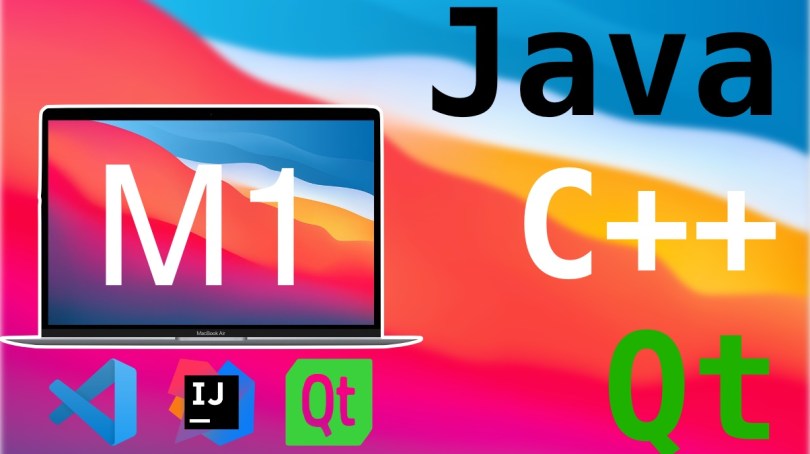
Apple Silicon M1 for Software Development: Java, C++ with Qt

Apple’s laptops have been making quite the splash since the end of 2020 and have made a massive comeback as a professional tool one year later with the M1 Pro and Max designs. Most of the reviews I have seen focus on the editing and rendering capabilities of these new MacBooks. A few reviewers throw a compile test in the mix, but compiling Chromium or any other huge project is only a part of the equation. Developers don’t just compile code; they also use tools and IDEs to develop their software.

Being new to the M1 world, I wanted to recap my experiences so far briefly. I use Java professionally, and I also have a C++ application based on the Qt framework that I wrote an eon ago and still use productively. Being a former C++ professional, I am about native performance, and I like native software. Therefore, I intended to utilize as many Apple Silicon-native tools as possible. Luckily, one year after its release to the desktop world, the most popular applications have caught up. Let me go through my tool suite one by one.

Read More »

Emulate Java Enums With Values in C# (Pt. 2, Improved With Conversion Operator Overload)

In a previous blog post, I demonstrated how Java’ enums that contain one or more values/objects can be emulated with C#. One thing bothered me, though: the switch statement and how inconvenient it was to determine the proper type. Worst of all, it was not type-safe. In my simple example, it was easy because I was using strings. Imagine your fake-enum does not contain a string to quickly identify the instance.

Well, there is a prettier workaround – and it involves an actual enum. I was thinking about how the same could be done in C++ and in C++, you can have type conversion operators. Then I searched if such a feature also exists in C#, and sure enough, it does.

Read More »

Emulate Java Enums With Values in C#

Update August 28, 2021

I have written a follow-up that improves on the following solution using a type conversion operator overload.

When I started dabbling in C#, I wondered if it supports values in enums. In Java, an enum instance can have properties (called fields in Java lingo) associated with the enum’s literals. By taking advantage of this feature, you can encode more information in an enum, like a string, for example, or a constant number. You can even embed instantiated class objects, maybe to associate an object factory with a literal.

In my use case, I wanted to achieve a form of a key-value-pair mapping. I require certain illegal characters in the NTFS file or directory names to be replaced with a given code. I use HTML encoding for my needs because I can simply look up the values online if I need to.

Here is the Java reference example. First, let me start with the basic enum definition (I use Lombok to auto-generate boilerplate code like the constructor and accessors).

@Getter
@RequiredArgsConstructor
enum CharacterReplacementCode  {
    COLON(":", "&amp;58;"),
    POUND("#", "&amp;35;"),
    QUESTION_MARK("?", "&amp;63;"); 

    private final String character;
    private final String replacement;
    
    @Override
    public String toString() {
        return String.format("Character '%s' substituted by code '%s'", character, replacement); 
    }
}
Read More »