South of Midnight Benchmarks & Critique (Linux vs. Windows)

Compulsion Games and striking art might as well be synonyms in dictionaries. South of Midnight’s visual identity is unmistakable, but it does not stop there. The game is more than just artsy graphics.

But before I briefly share my opinion on the game, let me talk about the technical side of things, which is central to this blog post. The primary focus is how South of Midnight performs on Linux and Windows, how difficult it was to get working, and things I noticed while playing on both platforms.

The Nerdy Bits

I purchased the game on Steam, and as one has come to expect, it just worked. I did not force any Proton version and let Steam do its thing instead. Throughout my playtime, I did not have any issues whatsoever. South of Midnight felt like it belonged.

Read More »

Star Wars Outlaws Benchmarks & Critique (Linux vs. Windows)

Star Wars Outlaws is Ubisoft’s take on a Star Wars game working within the framework of their established Open-World formula. Although Massive Entertainment worked to avoid the checklist-like map design full of question marks, it still ended up being a checklist, just not on the map. And underneath all that busywork is a heist story along the lines of Ocean’s 11. With a twist.

But before I briefly share my opinions on the game itself, let me talk about the technical side of things, which is at the center of this blog post. The main focus is how Star Wars Outlaws performs on Linux and Windows, how difficult it was to get working, and things I noticed while playing on both platforms.

The Nerdy Bits

Let me start with the installation. I purchased the game on Ubisoft’s platform instead of Steam, so I had to resort to Lutris for the first step. After I installed the Ubisoft Connect launcher via this handy script, the procedure was the same as on Windows: select the game to install, the install location, and start the download.

In Lutris’ settings, I chose Proton-GE as the runtime, but I also tried Wine and Proton Experimental. Since I noticed no differences, I stuck with what I tested last, which was Proton-GE.

Benchmarking Preamble

I tested on my AMD Ryzen 7600 with 32 GB of DDR5 6000 Mt/s memory and an AMD Radeon RX 7900 XT. Windows 11 was on version 24H2 as of the end of March. My Linux installation was a regular Fedora 41 Workstation with Gnome Shell on Wayland running kernel version 6.13.8. Since I play at 1440p, that was the only resolution I tested. For graphics settings, I limited myself to Ultra and High, each at native resolution and upscaling with FSR Ultra Quality.

I ran every benchmark pass three times in one go instead of performing three separate runs and averaging the numbers. I am lazy, and I also assume that the result would be the same.

Read More »

Black Myth: Wukong PC Technical Discussion (Linux + Windows Benchmarks)

The hype around this game may have subsided, but I thought it would still be fascinating to test Black Myth: Wukong on Linux and Windows and see how both operating systems fare. Games Science’s handy benchmark utility was a perfect tool for the task. I was not interested in realistic gameplay benchmarks, so a built-in canned benchmark was perfect. What started as a simple run of the benchmark with different settings turned into a discovery of some unexpected behaviors that piqued my curiosity.

Read More »

Horizon Forbidden West PC Technology Discussion (Linux + Windows Benchmarks)

Horizon Forbidden West was one of the most visually impressive titles on the PlayStation 4 and PlayStation 5. Two years later, the same sentiment repeats on the PC. Despite no fancy raytracing features, Guerrila’s Decima Engine still produces a stunning game world and character rendering. I gushed enough about the visuals when I wrote my PS4 Pro and Burning Shores expansion reviews. Therefore, I will not elaborate further on this topic here. Instead, I will focus on the performance aspects. If you are interested in seeing a lot of screenshots, please read my reviews. The PC version is essentially the PS5 version, with a slightly higher level of detail in the distance and some PC-specific improvements, as Digital Foundry had discovered

The most significant benefit of this PC version is the “unlimited” performance that is unshackled from console hardware and the free choice of input peripherals. I played with a keyboard and a mouse because of RSI issues in my thumbs that operating a controller’s thumbsticks worsened. A mouse was also more accurate when aiming with the bow, but I would still have preferred a controller during traversal and combat. The proximity of all buttons to the fingers would have made coordinating the various skills and movement patterns much more effortless. Apart from that, PC’s stalwart input methods worked very well and did not hold me back much. I made up for what I lost in convenience with comfort and precision.

Unlike other modern releases that ate hardware for more or less good reasons, Horizon Forbidden West performed admirably. The YouTube channel eTeknix did enormous work testing 40 GPUs in three different resolutions. Nixxes did an excellent job making the game scalable, and Guerrilla’s initial work optimizing for the weaker consoles also paid off immensely. Even my former 3060 would have been enough to enjoy the Forbidden West with some help from DLSS upscaling.

Read More »

Starfield PC Technology Discussion (Linux + Windows Benchmarks)

In my game reviews, I usually include a section I call “The Nerdy Bits” to examine a game’s technology. I have decided to separate this content from the game review to keep the size manageable. My Marvel’s Midnight Suns review showed me how an expansive technology section can inflate the blog post and maybe even distract from discussing the gameplay, the content, and the story, or potentially deter and intimidate readers because of the total length.

(This blog post is dangerously close to 3000 words 😉.)

I firmly believe that technology is a crucial aspect of a video game. Still, sometimes, I can get carried away and focus too much on it. Other people may not be as interested in that or as curious as I am, and they prefer an overview of the gameplay and a brief summary of the visual fidelity.

For me, a lousy running game can break the immersion. Take Elden Ring on the PlayStation 5, for example. My sister bought the game and thinks it runs fine, like many others who believe it to be the greatest thing since sliced bread. I took a 10-second look, turned the camera around one time, and concluded it ran like crap, and I did not want to play this way. Playing for ten to fifteen more minutes solidified this initial perception. This technology discussion is for gamers like me who are also interested in the technical aspects of a video game and base their purchasing decisions on that.

With this explanation out of the way, let me discuss what I think of Starfield’s technology. I will touch on the art style, the visual fidelity and technology, audio, and performance on Windows and Linux.

Please note that this is not a Digital Foundry-level inspection. For that, click here and here.

Read More »

Upgrade Intel Core i5 12400F DDR4 to AMD Ryzen R5 7600 DDR5 – Worth It?

Intel’s Core i5 12400F was and still is a capable budget gaming CPU. When I bought this chip at the end of summer 2022, DDR5 memory was still costly, and the benefit in gaming was not worth the price by a long shot. In 2023, Intel’s 13th-gen CPUs benefit significantly from faster memory, and DDR5 prices have reached their equilibrium where DDR4 was last year. I could have taken advantage of slotting in a Core-13000 model, maybe even a 14000 variant, but I am too much of a tech enthusiast to ignore the performance I could be leaving on the table with DDR4.

As you will see, I probably would not have noticed the difference and potentially benefitted the one game that triggered the upgrade thoughts. I recently took advantage of AMD’s Starfield bundles and received a new GPU with my game purchase. I knew of all the discussion around this game’s performance profile. Intel owns this game despite it being an AMD-sponsored title. Nevertheless, the 12400 had issues in the CPU-heavy areas, like New Atlantis.

(It appears that AMD or Bethesda forgot that AMD also makes CPUs, which is baffling since AMD makes the Xbox chips and Xbox owns Bethesda…)

Anyway.

The Ryzen 7600 should walk all over the 12400 with DDR4. The Intel chip is roughly equivalent to a Ryzen R5 5600X, and compared to that processor, the R5 7600 is 30% faster in games on average, according to Hardware Unboxed’s testing published on Techspot.

I performed several gaming benchmarks that compare the i5 12400F to the R5 7600 when paired with a Radeon RX 7900 XT.

Read More »

NVIDIA GTX 970 vs GTX 1080

As mentioned in the Overclocking the Core i5 post a while back, my graphics card was limiting higher performance outputs, especially since it had to render games in 2560×1440. I hinted at an additional post dedicated to overclocking the GPU and this is it in some ways. I did overclock the GPU, but shortly after I also replaced it with a Gigabyte G1 Gaming GTX 1080. Nevertheless, for comparison, I will include the overclocked results based on the custom graphics settings from the last post and also compare it to the 1080 using default game presets. This way you can easily compare with your own rig. I had hoped I could also include Ryzen tests, but unfortunately Corsair’s AM4 mounting kit for the watercooler is still travelling around the world. So, there’ll be another performance related article (hopefully) soon. That one will compare the overclocked i5 with the GTX 1080 to a Ryzen 1700X with the 1080. Not only in games, but also in encoding.Read More »

Overclocking Intel Core i5 6600K to 4.2 GHz

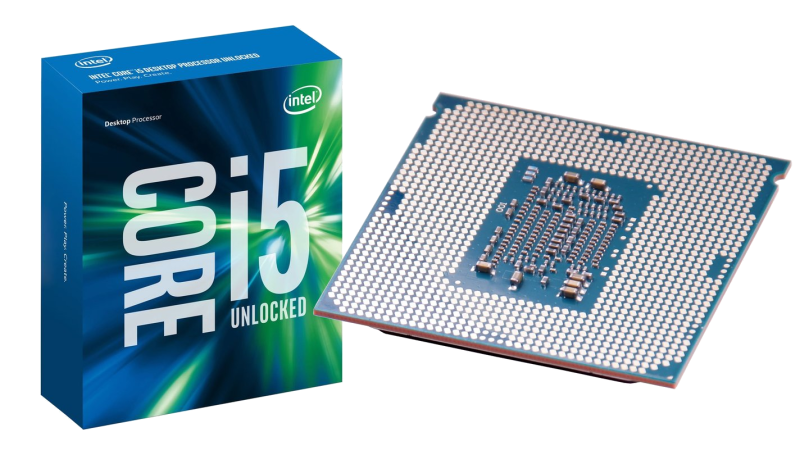
The Skylake i5 is the 6th generation Core micro-architecture that has a lot of gaming power by default, especially the K series of CPUs. But, with only 4 cores and no hyper-threading, they are just not the right fit for some scenarios, especially video encoding. So, other than buying a new CPU (and board and maybe even RAM – as intriguing as it sounds), what can you do to get more performance? Overclock it! That’s what the K stands for, right? OverKlocK.Read More »

NVIDIA GTX 970 vs. AMD HD 7870 vs. NVIDIA GTX 560 Ti

My gaming PC is about two years old now (read this and this for more information) and although I didn’t really have any serious, permanent performance issues in games, I felt that it was about time to change something.

Here’s a short review and benchmark comparison of NVIDIA’s latest GTX 970 vs. the AMD Radeon HD 7870 (quite a mouthful) that I had installed before. The latter also had to show what it can do compared to an older NVIDIA GTX 560 Ti.
Read More »