Upgrade Intel Core i5 12400F DDR4 to AMD Ryzen R5 7600 DDR5 – Worth It?

Intel’s Core i5 12400F was and still is a capable budget gaming CPU. When I bought this chip at the end of summer 2022, DDR5 memory was still costly, and the benefit in gaming was not worth the price by a long shot. In 2023, Intel’s 13th-gen CPUs benefit significantly from faster memory, and DDR5 prices have reached their equilibrium where DDR4 was last year. I could have taken advantage of slotting in a Core-13000 model, maybe even a 14000 variant, but I am too much of a tech enthusiast to ignore the performance I could be leaving on the table with DDR4.

As you will see, I probably would not have noticed the difference and potentially benefitted the one game that triggered the upgrade thoughts. I recently took advantage of AMD’s Starfield bundles and received a new GPU with my game purchase. I knew of all the discussion around this game’s performance profile. Intel owns this game despite it being an AMD-sponsored title. Nevertheless, the 12400 had issues in the CPU-heavy areas, like New Atlantis.

(It appears that AMD or Bethesda forgot that AMD also makes CPUs, which is baffling since AMD makes the Xbox chips and Xbox owns Bethesda…)

Anyway.

The Ryzen 7600 should walk all over the 12400 with DDR4. The Intel chip is roughly equivalent to a Ryzen R5 5600X, and compared to that processor, the R5 7600 is 30% faster in games on average, according to Hardware Unboxed’s testing published on Techspot.

I performed several gaming benchmarks that compare the i5 12400F to the R5 7600 when paired with a Radeon RX 7900 XT.

Read More »

MSI B650 Tomahawk EZ Debug LED Memory and CPU Issues – Early Adopter Woes One Year Later

I have recently treated myself to an AM5 system on an MSI B650 Tomahawk WIFI. The R5 7600 has access to 32 GB of G.Skill 6000 MT/s CL32 memory, which supports AMD’s EXPO technology. Enabling EXPO worked fine for the first hour before the trouble began.

At first, the SSD wasn’t detected anymore. I wanted to reinstall Windows because of licensing issues since I chose the wrong edition at first. Then, changing settings in BIOS did not restart the computer. The BIOS just froze up. Finally, the CPU and memory EZ Debug LEDs were both active, indicating a fried CPU and RAM.

That was a fun experience.

The Debugging

For reference, here is the layout of the debugging LEDs.

I am showing you this because the image of the error was under bad lighting conditions.

Whatever I tried, the system appeared to be dead. No more BIOS, no CMOS reset, nada. A CMOS reset had no effect even when the system would still boot into BIOS. Cutting the power… you guessed it: did nothing.

In a last hurrah, I attempted to boot with only one memory stick installed. Maybe it was just a single DIMM that unleashed hell. Lo and behold, the system booted. Testing the other stick also booted. Trying both RAM sticks again also booted. What the devil?

Changing the RAM configuration from two sticks down to one triggered something in the BIOS to reconfigure itself. A BIOS often shows a message when changes to the previously installed hardware are detected. And suddenly, a BIOS reset also worked.

The Fix

This time, I ran the RAM at 4800 MT/s while I installed Windows and tested a game for good measure. After ensuring the system was stable, I dared to perform a BIOS update.

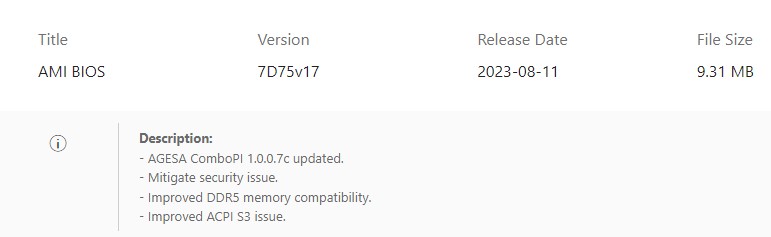
And this was the solution to the problem. My MSI B650 Tomahawk came with BIOS version E7D75AMS.160; the latest version is E7D75AMS.170. The changelog mentions several improvements regarding RAM support.

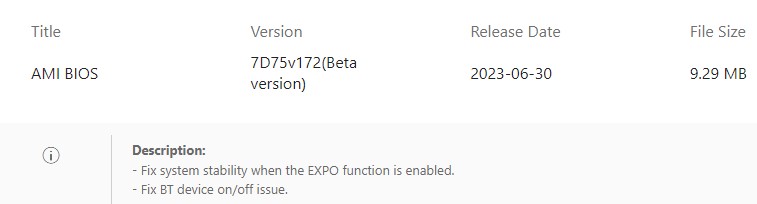
An unreleased beta version also mentions stability improvements with EXPO enabled. I assume this also made its way into the latest release.

Since then, the system has been stable. I have run several benchmarks and played Starfield for about four hours straight without any stability problems.

The Disappointment

I am shocked that users can still run into compatibility issues like this about a year after the release of the Ryzen 7000 processors. The original installed BIOS was published in May 2023. That was already about eight months after the release of the AM5 platform, and it still had issues.

I hope this was helpful and saved you some time debugging a similar issue on the same motherboard or even a different one that behaves the same.

Thank you for reading.

Gamers Do Not Want to Buy AMD and NVIDIA GPUs

It is June 2023, and gamers are still waiting for NVIDIA or AMD to release a GPU that is a no-brainer for any of the different price points of the mainstream market. I accept that the RTX 4090 and the RX 7900 XTX are halo products with an accordingly high price tag. Especially the RTX 4090 is impressive in all aspects. But what about the people who do not have over 1000 Orens to burn or do not want to spend that much? The controversy and discussions about NVIDIA’s sub-1k lineup down to the RTX 4060 Ti got me thinking. These cards would be a significant or even gigantic performance upgrade for me, yet I am not interested in them. What about AMD? Seriously, what about AMD? When are they moving their butts and joining the fray?

I am aware that it is about maintaining margins and keeping all their Scrooge McDucks happy. I also know that gaming products do not sell for as much as professional workstation- or enterprise products, with AI being the new hotness.

(Let’s hope it turns out to be more useful compared to the mining energy waste.)

How much time did NVIDIA dedicate to gaming hardware at Computex 2023? But is this really worth antagonizing a vast and vocal audience that has enabled AMD and NVIDIA to get where they are? From the looks of it: Yes. When considering a younger Jensen Huang’s statements, NVIDIA’s position is especially curious.

Read More »

MacBook Air M1 Apple Silicon Sleep High Power Consumption?

When I first got the MacBook and put it to sleep on battery, as one does, I wondered why the energy store had lost a surprisingly high amount of charge after just a couple of days of sitting on a shelf untouched, lid closed. Now that I have a power meter (almost a year later), I was curious and hooked up the plugged-in computer to it. As you can see from the title image, the result was 2.3 frigging watts. But why?

Given this number, I wanted to open this blog post with the following statements.

Here is an interesting fact for you. The most power-efficient computer of the past decade allows itself over 2W of power while it sleeps. Yes, two frigging watts. Sleeping.

Being a curious nut, I did some more digging and then overhauled this blog post accordingly. But first, let me continue with my original vision of this little rant.

This is time travel, my friends.

Read More »

OpenRGB – An RGB Software I Want to Use (It Runs on Linux!)

If you are in the market for anything gaming PC or gaming laptop related, chances are, you have come across the industry-wide trend of RGB illuminated hardware and peripherals. Everything is RGB, from the graphics card to the RAM, to your headset (because you can see the lights when you wear it 🙄), and many, many more. I am not against RGB lighting per se, but if you follow the industry as a PC hardware enthusiast, it is evident that in some aspects, this has gone too far.

Quick side note: after a rant about RGB software, I will show examples of using OpenRGB on Windows and Linux. If you are interested in only that, skip the rant and scroll to the bottom.

Read More »

Road to the Perfect Mini ITX PC (Part 5): Other Small Form-Factor ITX Cases

Previously on “Road to the Perfect Mini ITX PC”:

  1. Fractal Design Core 500
  2. NZXT H200
  3. Fractal Design Meshify C
  4. Lian Li TU150

The first two cases I had bought were before I became aware of all the mass-market and niche options that existed at that time. Not only have I learned about the DAN Case, NCase M1, and Streacom DA2, but companies have released more cases during the past year. I’m talking about the NZXT H1, the Cooler Master NR200, or, recently, Phanteks’ second attempt at the Evolv Shift. Even Lian Li’s TU150 landed during that time, my current case. There are even so many more cases, like the Louqe Ghost S1, the FormD T1, Sliger SM560, and many more.

Read More »

Road to the Perfect Mini ITX PC (Part 4): Lian Li TU150

In a few aspects, the Lian Li TU150 is comparable to the NZXT H200. One: for an ITX enclosure, it is on the bigger side. And two: it has a similarly closed-off front. Other than that, they are pretty different, though. In some areas, that is a good thing, and it is a bad thing in others.

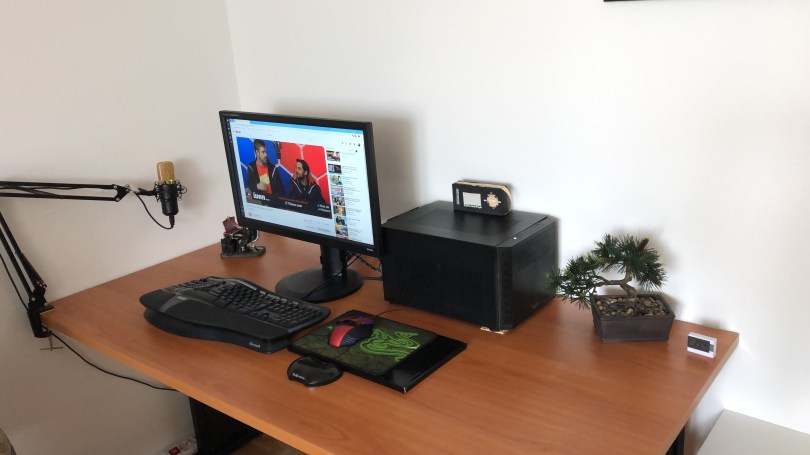
In the timeframe of just over a year, this is the fourth (!) computer case that I have tried. Usually, it is the CPU or GPU that gets replaced more often 😅 It is also my current case, which means I can provide good pictures to visualize my thought process better.

Read More »

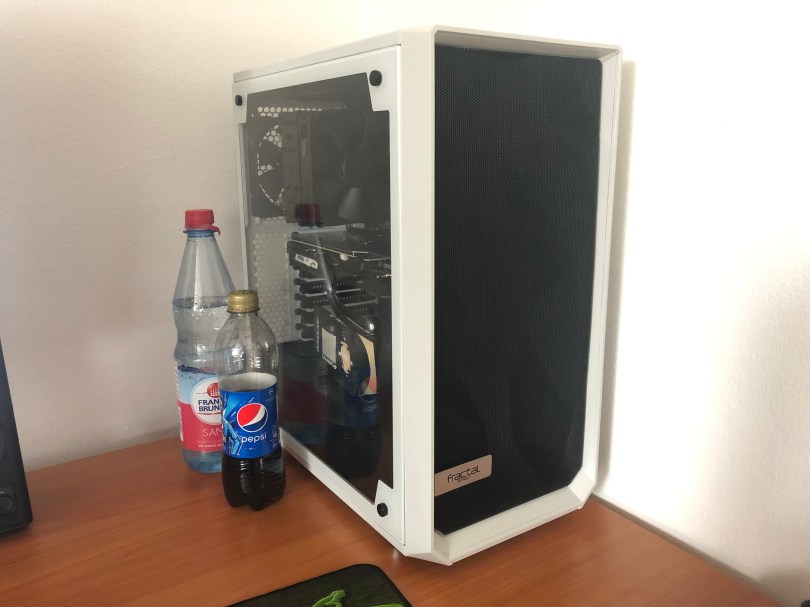
Road to the Perfect Mini ITX PC (Part 3): Fractal Design Meshify C White

In the third part of my road to the perfect mini ITX computer case, things will get a bit weird. As you may have gathered from the title, I will not talk about a mini ITX enclosure in this blog post. Quite the opposite, in fact: the Fractal Design Meshify C is a full-sized mid-tower ATX case.

You may now wonder why I suddenly had a change of heart and ditched a big.SMALL™ case for a not-so-small big computer tower. Well, I was surrendering to big graphics cards. Or, put the other way around, I was annoyed that I had to search endlessly to find a fast and quiet, and affordable two-slot graphics card model, only to fail ultimately. But, let me not get ahead of myself and start from the beginning, the same way I did for the previous two blog posts.

Read More »

Road to the Perfect Mini ITX PC (Part 2): NZXT H200

The second of the bunch is one of the stylish cases from NZXT, the H200. While it is technically a mini ITX chassis, it is a large case for that market segment. Just like the Fractal Design Core 500, it is compatible with a wide range of hardware, making it the perfect enclosure for price-conscious buyers. On top of that, it also is beautiful.

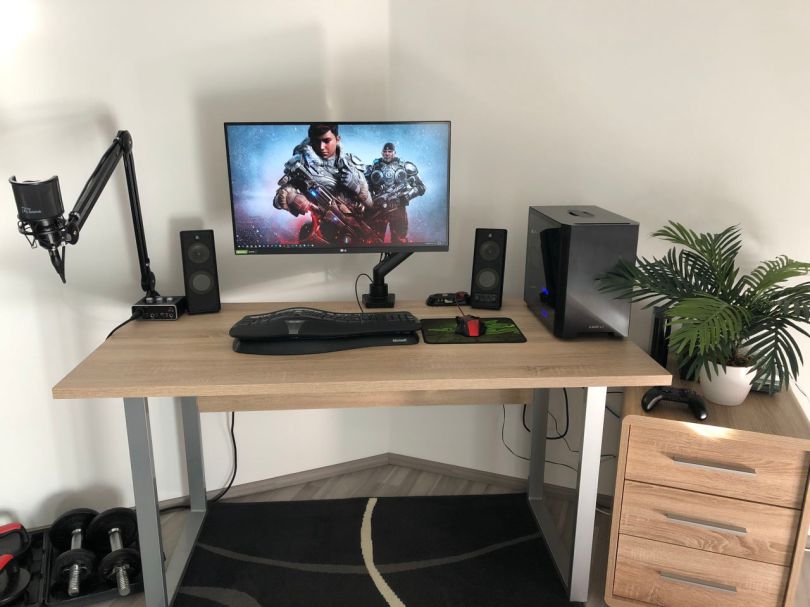
Unfortunately, I do not have an image of a complete desk setup with this case. Here is one with a good look at the internal layout and installed hardware.

Read More »

Road to the Perfect Mini ITX PC (Part 1): Fractal Design Core 500

The computer that I bought roughly a year ago has seen quite a few revisions already. But I am not talking about the core hardware – although I switched the GPU at one point. I mean the case. I wanted to go with something small from the start, so the basis is a mini ITX mainboard. However, I have not been incredibly happy with any of the cases so far. In this first installment in a series of several blog posts, one for each computer case, I will share my experiences in building a small, attractive, and performant and yet price efficient computer. I will cover design, hardware compatibility, pricing, and availability. Unlike the YouTube tech creators, not everybody has a seemingly unlimited budget or receives hardware from the manufacturers for review or showcases. It may look easy in all those YouTube videos, but it might not be for everyone.

Although I am mainly talking about gaming hardware, the same thoughts also apply to compact office PCs or workstations. Depending on the use case, i.e., which PC component requires the most focus, one or the other might become less or more relevant. So, first off is the Fractal Design Core 500.

Read More »

How Corona Virus and Lockdown Affect Me

I guess everybody has a story about how the current situation affects them. Since I share a few of my thoughts on the Internet and this one also has to do with technology, usually the main topic of my musings, I think this is something worth addressing.

I do not know if it makes any difference, but I will say it anyway for the sake of context. I live in Germany and of all the countries in the world we are in fairly good shape so far. We have had lockdown procedures for a while, but nothing so restricting that forbade leaving the house for anything other than going to work, the doctor or buy groceries. We could go for walks or outdoor sports if we were not meeting with other people. It was social distancing, but not hiding at home.

I work as a software developer at an IT company and my employer, like many others, relaxed the usual home office regulations month after month and basically the whole company started to work from their homes, me included. There are a few that do not like it and rather go to the office – which is safe, I presume, as there is basically no one there. I, on the other hand, prefer working from home and this is where the story of this blog post starts.

Read More »

OneDrive Sync On Linux With RCLONE

Update, 2, July 2021 I have found another tool that I now prefer. Read this blog post to learn more, or read this blog for yet even more information 😉.

In my quest to move to Linux as a daily driver it was important for me that I could continue to use Microsoft’s OneDrive cloud storage. Unsurprisingly, Windows 10 comes bundled with a OneDrive sync client. There is no official Linux support though, so I had to resort to a 3rd party tool. Luckily, there is a very powerful utility called rclone that does almost exactly what I want and I’ll explain how I have it set up to suit my needs.

Spoiler: it’s not as convenient as Microsoft’s sync client, but it has other things going for it.

Read More »

The Linux Experiment: One Month Later

It has been roughly a month since I switched from using Windows 10 as my main operating system to Linux. The reasons for that have all been detailed in The Switching Windows to Linux Experiment blog post. Now I will share a few of the experiences I have made during the first month (it’s been that long already) and what I think about how well it is going.

Let me address the elefant in the room first, the distribution. I think that is likely the first question you, the reader, would ask. The short answer is Pop!_OS by System76.

Read More »

The Switching Windows to Linux Experiment

(Beware of the many text)

For the longest time I have been a Windows user. My first computer came with Windows 98 SE (ignoring the Amiga before it) and I’ve used Windows as the main operating system for almost all that time since then. There was a brief excursion into the Apple world for about a year or two, but apart from that: Microsoft’s creation. It’s not that I have not tried using Linux, it’s just that for many years my needs could not be easily satisfied by a Linux based operating system. For one, I have always enjoyed PC gaming and I still do. I’ve tried going with a console, but that was one of the worst decisions I had made in 2019. There also was a long period where I had used my computer as a TV, a time where Youtube and all the other streaming services hadn’t existed. And although I had managed to get the TV tuners to somehow work, it was not comparable to the experience on Windows. For my use case, over all those years, Microsoft’s OS simply was the Vulkan choice. But now in 2020, this isn’t the case anymore. Things have changed, including the maturity of Linux as well as my own needs and my views. Therefore, it’s about time that I revisit this topic.

Read More »

Benchmark RX 570 vs. RX 5700 XT vs. GTX 1660 Super, Ryzen 2600 OC, 3600MHz RAM

At the end of last year, I was researching GPUs like a madman, trying to find the best option for price and performance and maybe also have some headroom for a future CPU upgrade. My starting point was a Ryzen 5 2600, 16 GB of 3000 MHz CL15 RAM and an AMD RX 570 with 8 GB of VRAM. A very good performance per buck machine in the summer of 2019 for 1080p gaming. It was purpose-built to be cheap with an upgrade path in the near future. However, my inner hardware enthusiast didn’t want to be content. It also didn’t help that the two games I was playing at that time performed rather poorly (which was the games fault, but you take every excuse you can get to buy new stuff).

Putting that aside, I have data of three graphics cards to compare, tested in four games at three different in-game settings – plus a custom one for two games that I used for playing. In addition to that, I have a bit of CPU overclocking as a result of troubleshooting and a RAM upgrade from a 3000 MHz CL15 kit to a 3600 MHz CL17 kit – which is running at 3400 MHz. More wasn’t possible with this motherboard and CPU. This post isn’t about the CPU overclocking though. I did that to see if the 5700 XT was limited by the R5 2600 and would perform better with a faster CPU. Well no surprise there, but as it turned out, the numbers I found were not caused by the CPU. More on that later.

Read More »