Marvel Rivals is published by NetEase, the same company that also publishes Where Winds Meet. Unlike its sibling, Marvel Rivals uses Unreal Engine 5. And as we all know, this piece of software can be as volatile as Deadpool. So, let’s have a look at how the hero-shooter performs on Linux and Windows.
Welcome back to a new benchmark battle between these two operating systems. Today, we answer the question of whether the proprietary AI-Super Villain or the Open-Source hero comes out victorious.
As I’ve done more often recently, I compared the beloved 🤭 Windows 11 to Bazzite’s Steam Gaming Mode and its KDE-Wayland session. Let’s go and find out which operating system has a field day in Marvel Rivals.
To do that, we grab Thor’s Hammer – don’t worry, no sleezy jokes today – and hope we can prevent Windows from sprinting ahead with a few well-placed lightning strikes.
I actually have no idea if Thor’s even in this game, but let’s just ignore that.
I also have a German version of this video.
System Specs
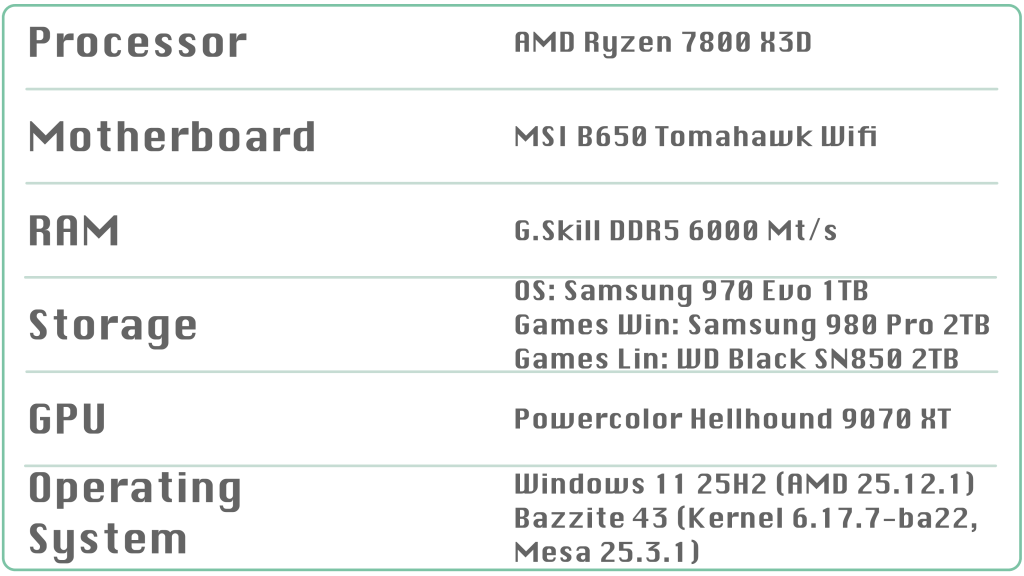
Bazzite 43 and Windows 11 are up to date as of January 2nd, 2026. I disabled Core Isolation and Memory Integrity Protection in Windows 11. Valve’s bundled Proton handles all Windows-to-Linux translation.
For this comparison, I relied entirely on the built-in benchmark. In my view, it’s the only way to test the same scenario repeatedly with a high degree of consistency.
I tested the presets Low, Medium, High, and Ultra. For each preset, every test was run at least three times, and the average was calculated. To test how well this title’s performance scales, I also benchmarked the Low preset with FSR3 quality upscaling.
The resolution is native 1440p.
Benchmarks
Low Preset
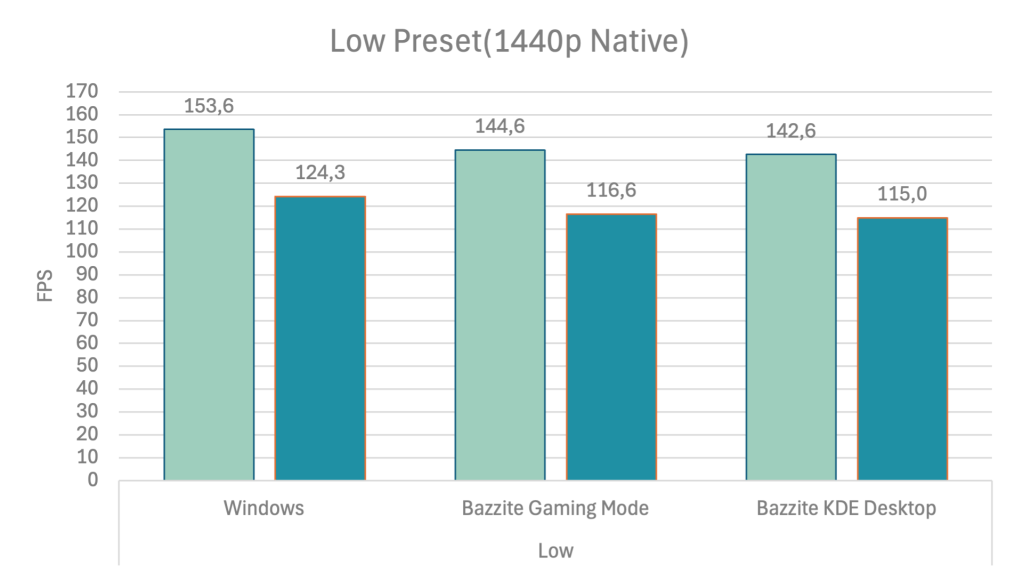
Marvel Rivals runs super smoothly, with well over 100 FPS on the lowest quality preset. Neither side has a Thanos-finger-snap-moment. The super villain from Redmond does have a lead, but 6-7 percent shouldn’t bother anyone in the heat of the moment. The absolute difference is about 10 FPS, depending on the time of day, the day of the week, and my PC’s mood.
What happens if we enable the booster?
Low Preset + FSR3-Quality
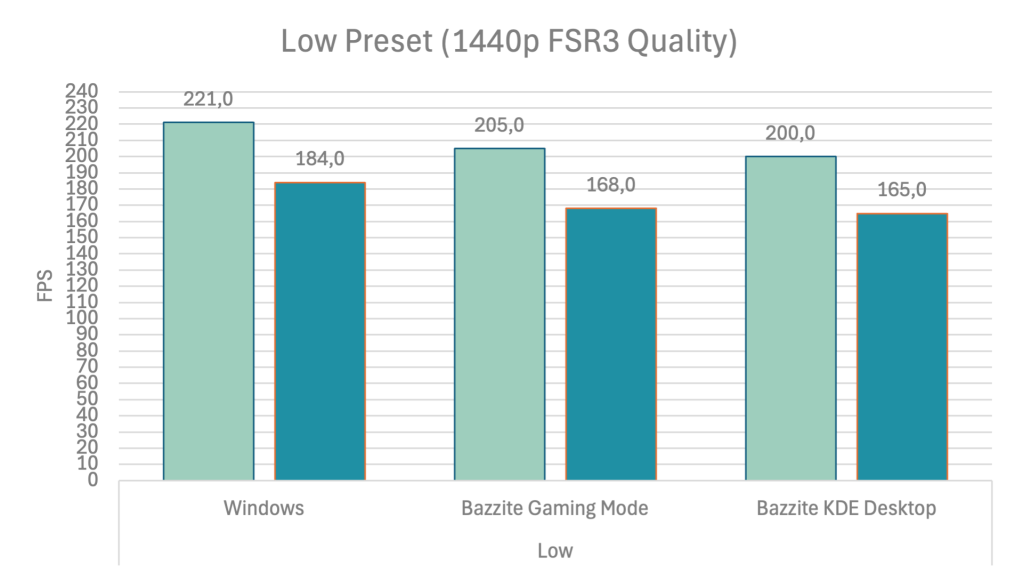
If you’re not satisfied with an average of 150 frames per second, you must enable upscaling for that extra boost in performance. By enabling FSR3 Quality, the average FPS climbs to 200 or more, which also increases the arch enemy’s lead. Windows can extend its advantage up to 10%. Nevertheless, only very few gamers will notice the difference. The disparity is not significant enough in my opinion, and the performance is generally very high.
But we’ve had enough of functional visuals built in a cave. From scraps. Let’s apply a clear coat and switch to the Medium preset.
Medium Preset
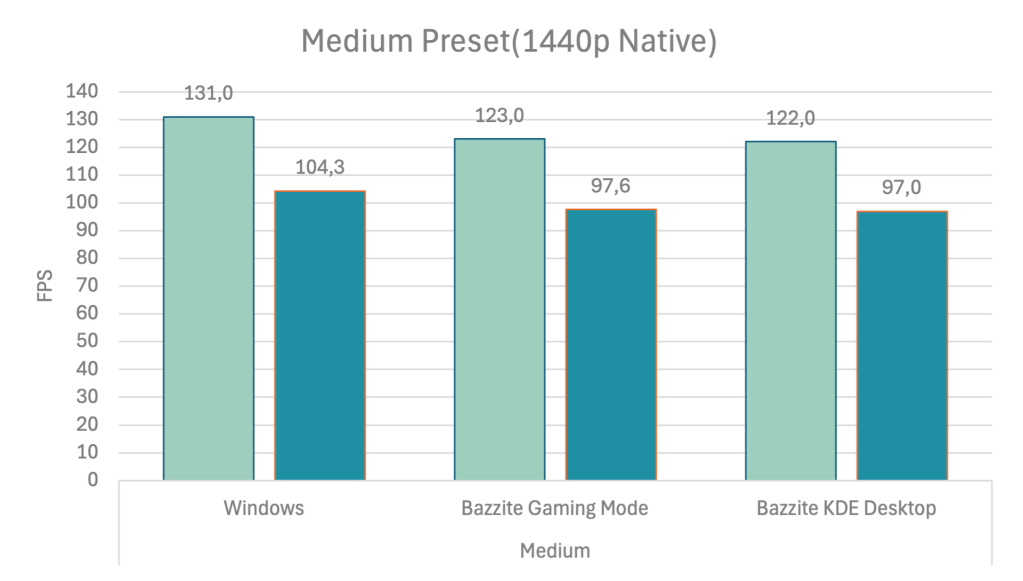
As expected, the performance drops. Shocker, I know. The performance loss is kept to a minimum, though, at roughly 15–20 frames per second. Nothing changed in the overall distribution of power, and Windows defended its lead of about 7%. We’ll take a look at a few screenshots later to decide whether the additional polish is worth the performance loss.
Let’s now switch to a high-tech body shop and meliorate the look of our graphics suit.
High Preset
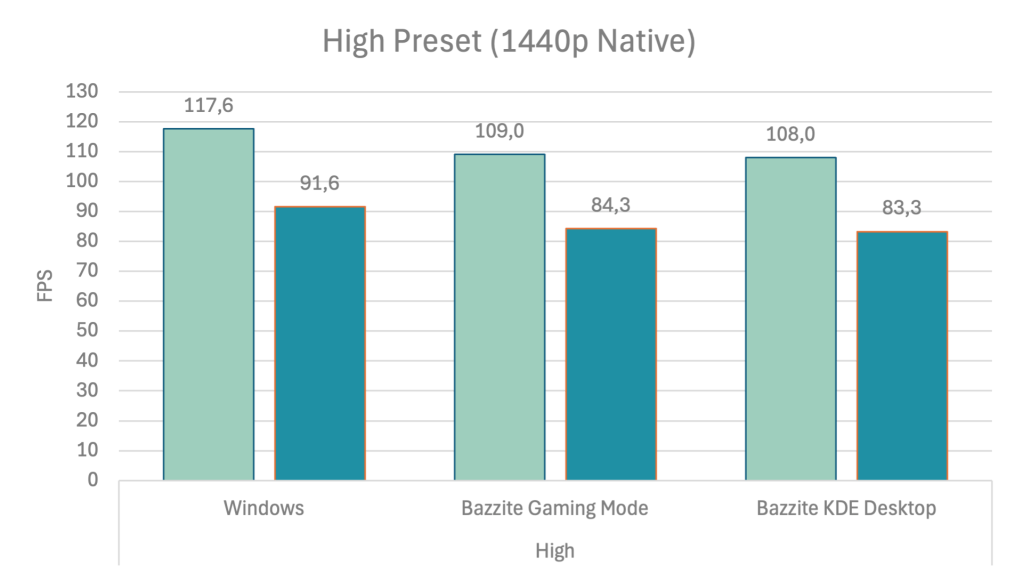
The jump to Mk. 3 graphics is a replica of what we already saw when going from Mk. 1 to Mk. 2. We lose about 15 FPS while the adversary can comfortably retain its lead of around 6 – 8%. So, if you prefer visuals over performance, the High preset may be the best compromise on an RX 9070 XT. We’re still getting well over 60 FPS, which will feel nice to play at.
We’re now coming to the last revision of our graphics suit with all the bells and whistles Unreal 5 has to offer in this title.
Ultra Preset
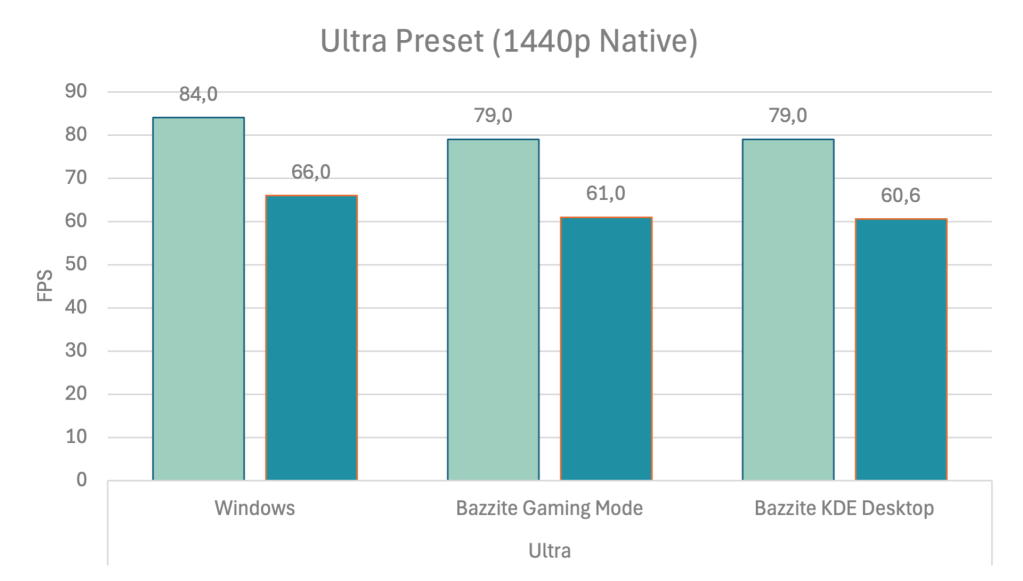
Ultra remains playable, but the Arc reactor slips into the red with a 1%-low of around 60 frames per second. This is right on the edge for a hectic shooter like this. Or you can claw back performance with upscaling if you prefer to relish every detail. Generally, the distribution of power remains unchanged. The tyrant continues to be a step ahead of our hero.
Now that we know the performance, how do our four suits fare in a beauty pageant? Let’s take a look at a few screenshots.
Screenshots & More
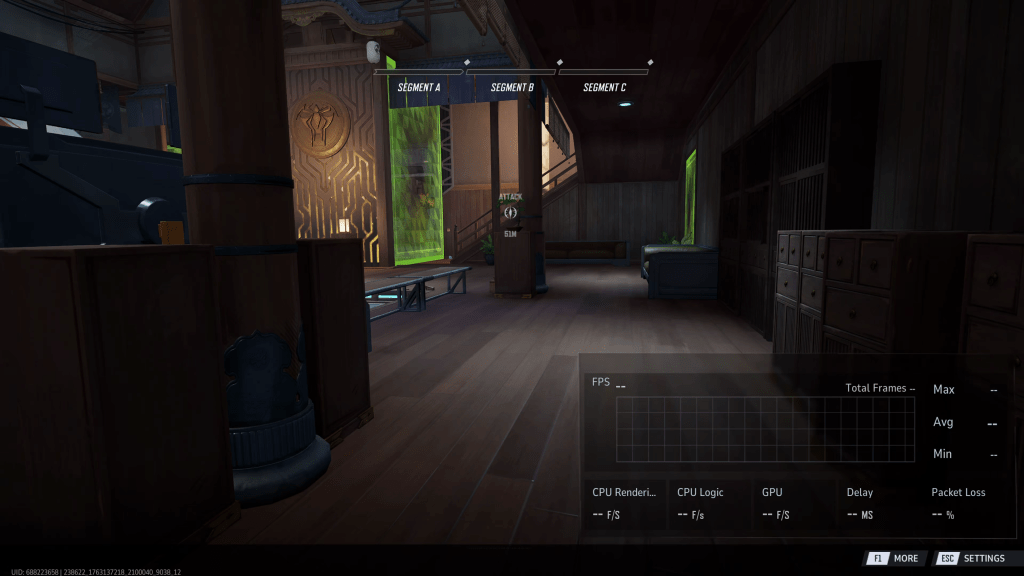
In this little slideshow, we can see how the presets scale visually. The most prominent difference occurs when switching from the Medium preset to the High preset, which improves lighting quality. But it’s situational and can often go unnoticed in a heated combat encounter. In darker areas, it might even obscure enemies because of more realistic shadow depictions.
Between Low and Medium, more details are visible on walls and the environments, but I’d even consider that unimportant. Take a closer look at the stairs on the left or the doors on the top right in the “Segment C” screenshots. You can see more wooden beams in the doors on higher presets.
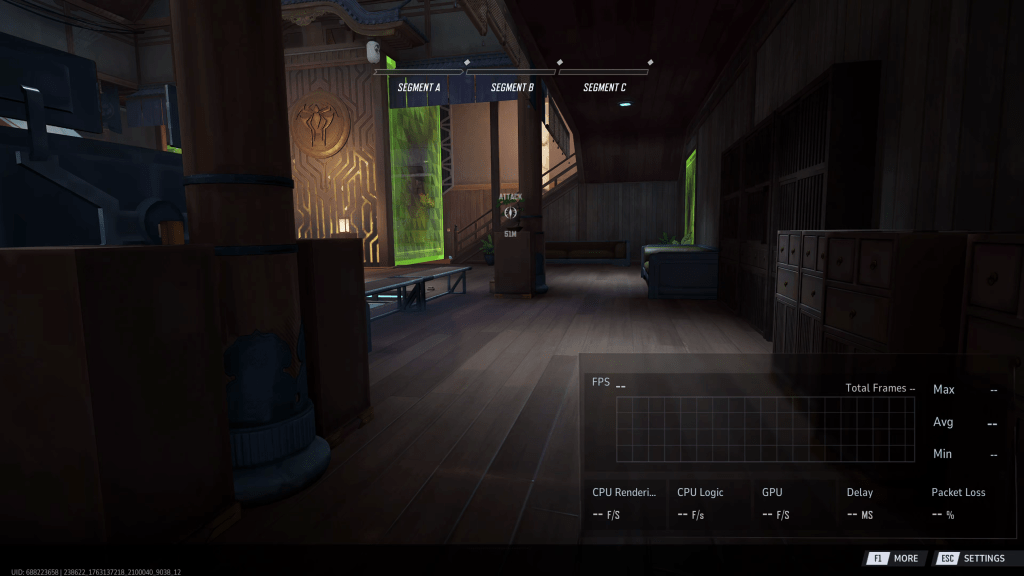
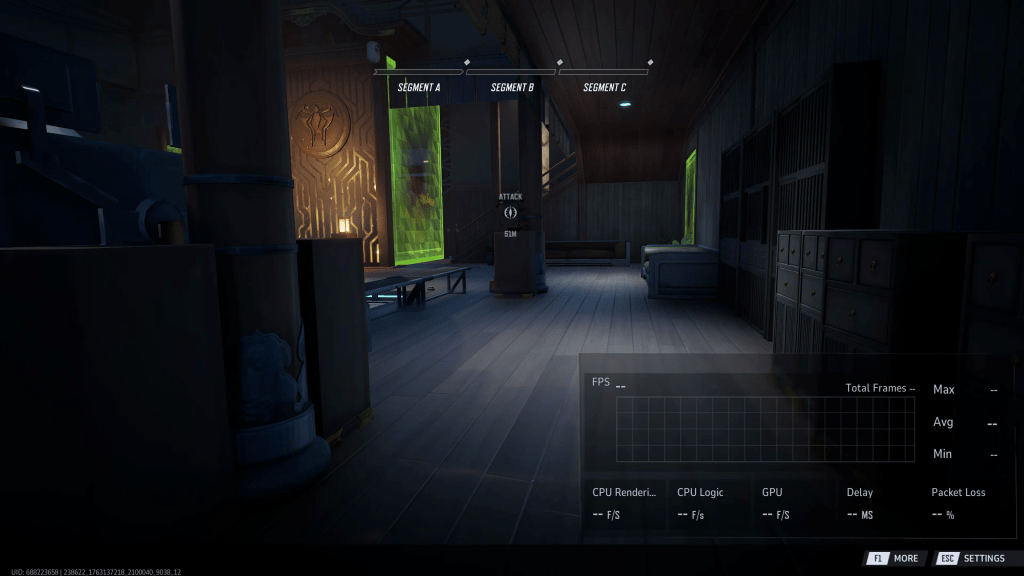
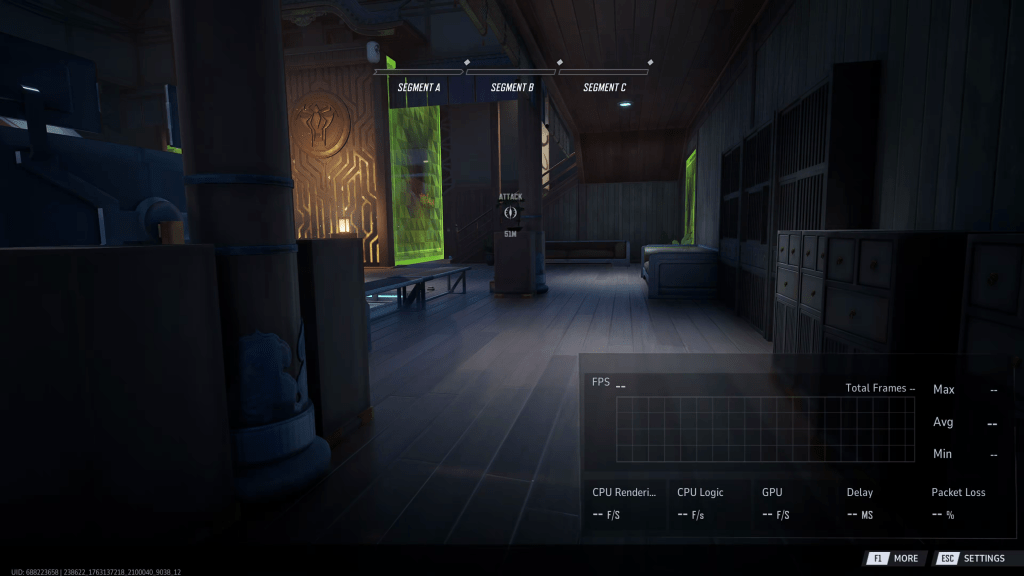
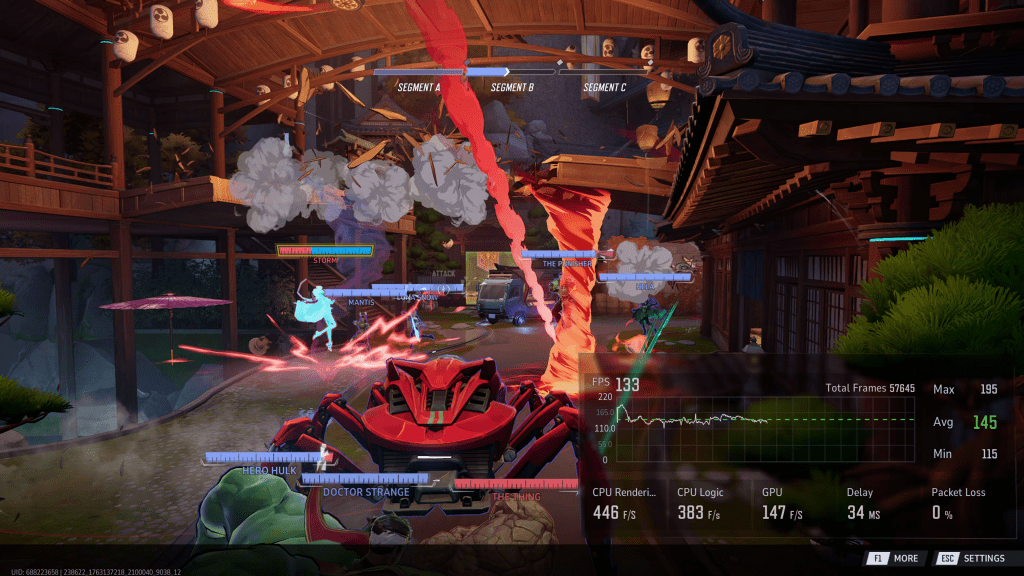
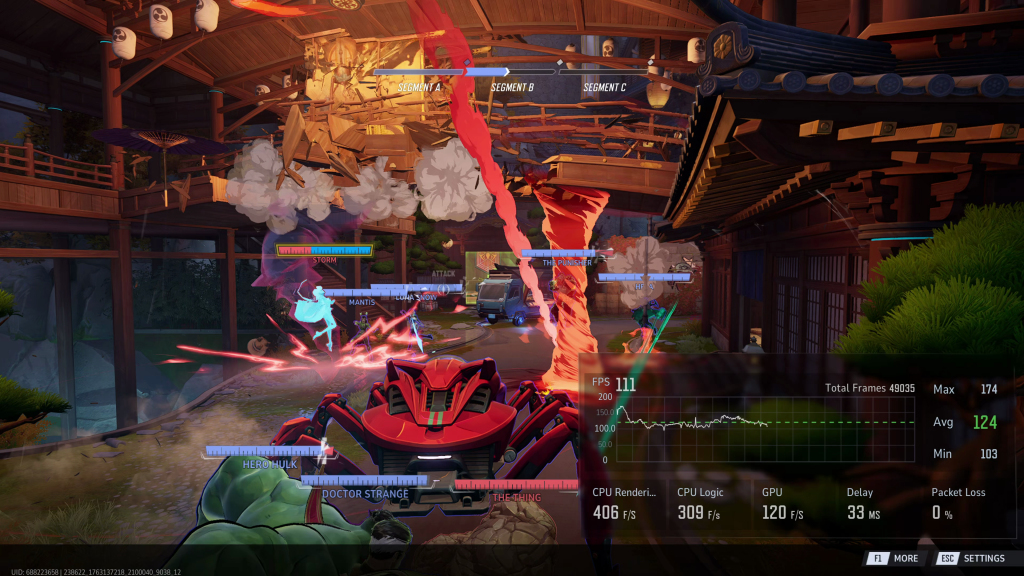
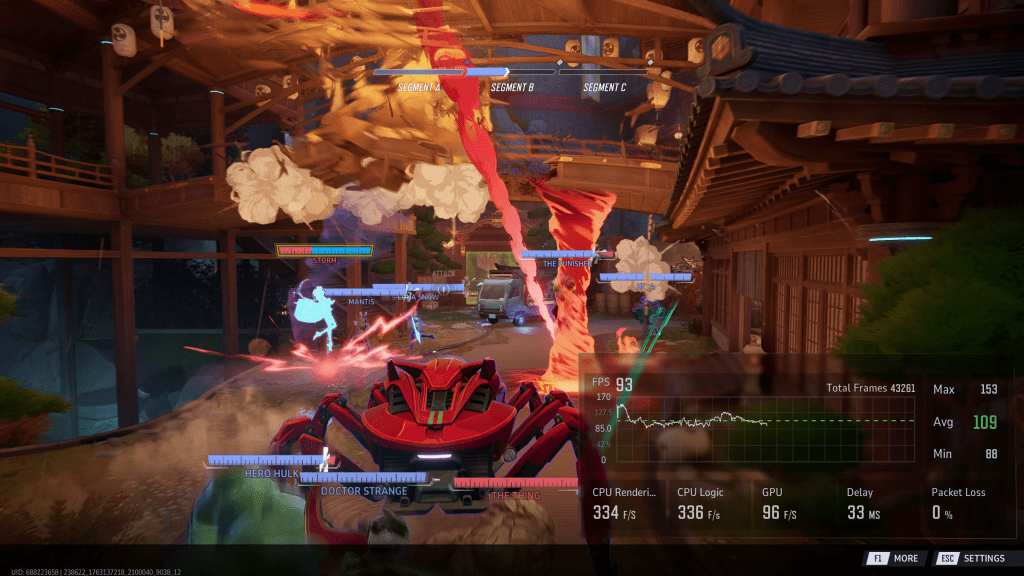
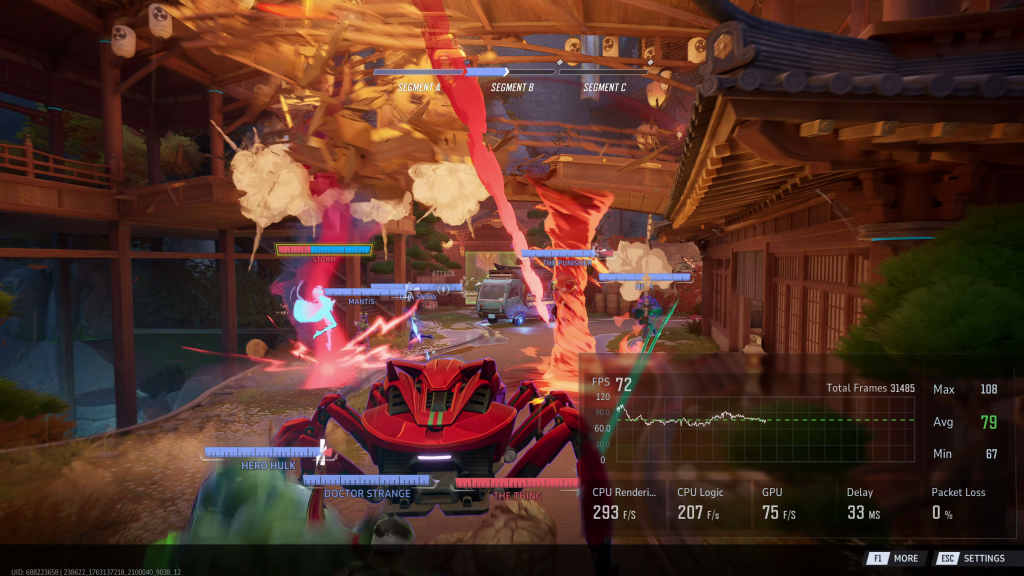
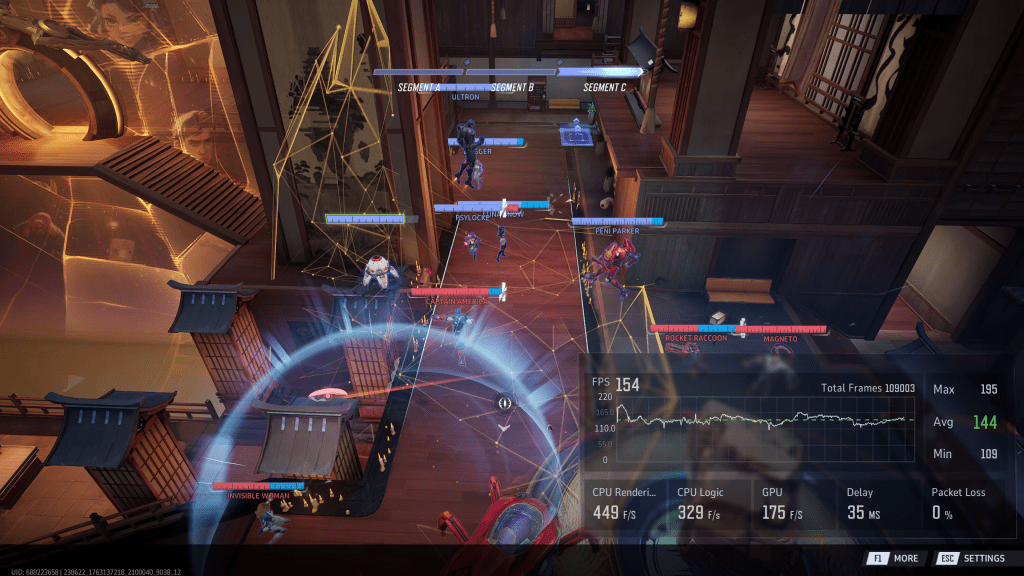
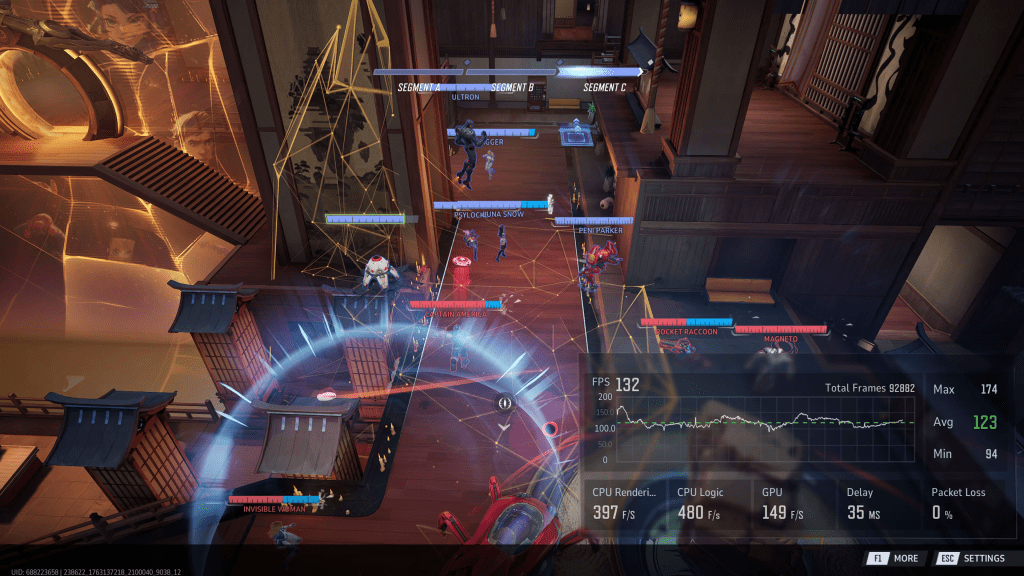
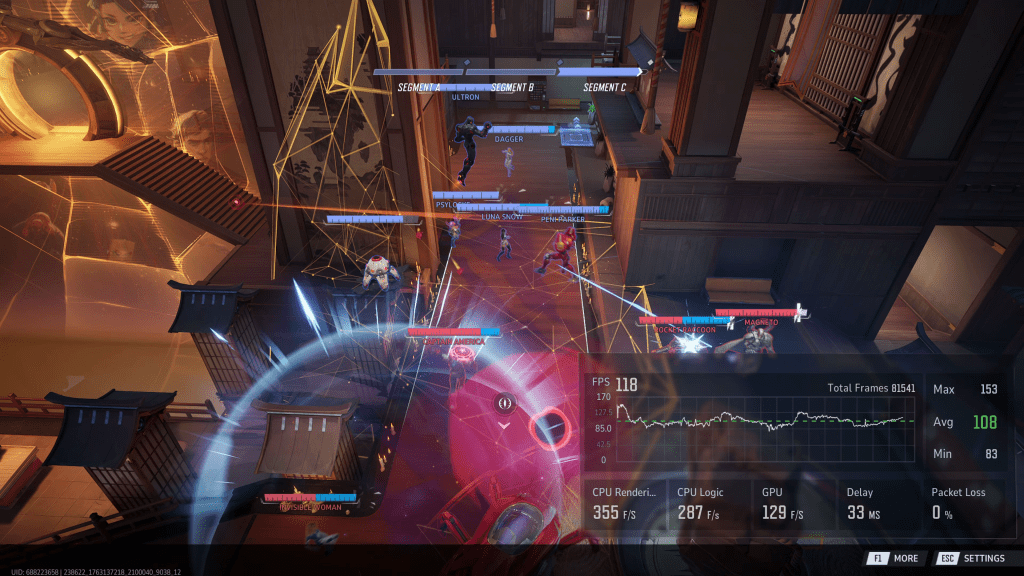
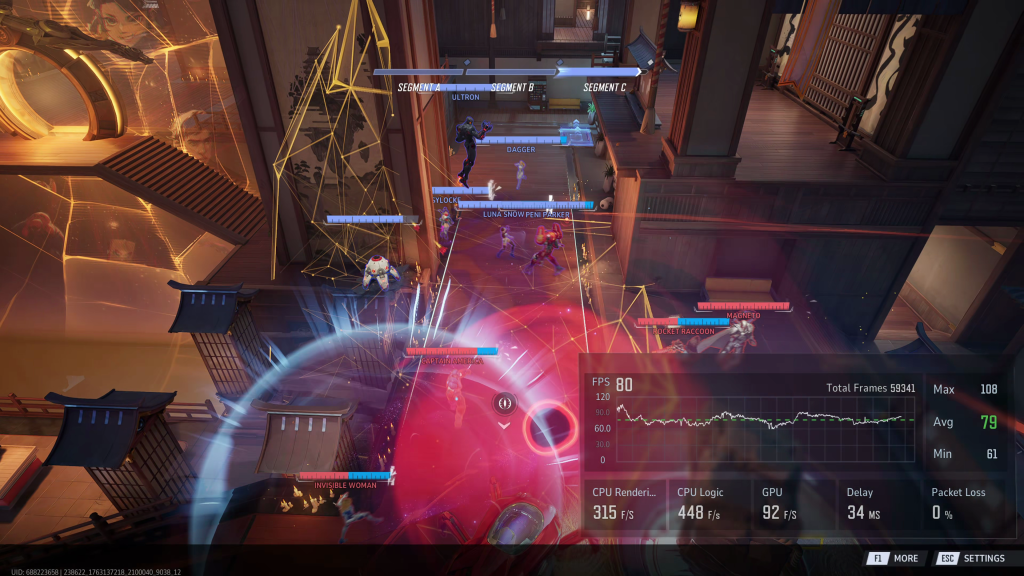
Lastly, I found something worth noting in the reflections. Marvel Rivals comes with three implementations, each with its own pros and cons. Lumen reflections have the best quality, of course. But that’s only true as long as you don’t enable upscaling. As soon as you do that, they become a grainy and unstable mess. Of all the upscalers in this game, Unreal’s TSR does the best job here.
(It’s best to watch the video to see the effect of the upscaling quality with reflections. This is hard to convey in a screenshot.)
You could counter that with screen-space reflections, but that introduces other instabilities in the image. Screen-space reflections can abruptly disappear depending on your angle of view. Yes, Lumen reflections are also augmented with SSR, but the additional detail vanishing is less jarring because the Lumen reflection is still there.
To minimize visual distraction and maximize interaction with upscaling for better performance, I’d select the lowest reflection setting. The game still shows reflections that are accurate enough for high-octane action gameplay, while remaining performant with no artifacts or distractions.
Of course, I’d select Lumen reflections in a single-player title and hope that the native performance is high enough. I don’t have anything against upscaling in principle, but in this case, it significantly degrades the visual quality.
Btw: On Windows, you can select FSR4 in-game as an option. This is not there on Linux.
Famous Last Words
Just like Borderlands 4, Marvel Rivals has very stylized graphics, and both are built with Unreal Engine 5. And that’s where the similarities stop.
Marvel Rivals runs considerably better, which is, of course, attributable to completely different requirements and its more compact scope. Clearly laid-out arenas versus an open world is not necessarily a fair comparison. On the other hand, Marvel Rivals still looks decent on its lowest graphics preset.
Not everybody needs to be a premium gamer.
Granted, I only wanted to take a jab at Gearbox. But I can immediately rebalance my Karma because Marvel Rivals has a dealbreaker, which I’m going to bitch about now.
Ignoring the idealistic Windows versus Linux debate, there’s one thing that prevents me from enjoying Marvel Rivals on Windows. This game requests admin privileges during every launch. Admin permissions for a game? Are we still in the nineties, when everyone wrote to the programs folder? This is an absolute no-go for me with almost all software, especially games. I’d pass on this game out of principle, even if I had fun playing it. Or I’d use Linux. And it doesn’t even show its dumb launcher on Linux, which protects your mental health and saves you a click.
😉
When it comes to performance, I’d summarize it in the following way: Windows 11 remains the unbeaten final boss, at least on paper. From a gameplay perspective, both operating systems don’t give an inch. Windows 11 can defend a slight, single-digit lead from the start of the boss battle to its bitter end.
I’d consider Windows 11 to be the feared, secret weapon you only deploy in the worst of all worst-cases. It’s essentially the Hulk of operating systems. Its raw, uncontrolled power can smash everything when the time comes. But generally speaking, you’d prefer Bruce Banner at your side.
Thanks for spending your time with me today. Have a good morning, afternoon, or evening wherever you are on the globe.
 The Codeslinger